From following a video to understanding movement
Soul Yoga grew from a question about exercising at home: how can a person understand their own movement when a video only shows what to copy? I explored this through a working movement-evaluation prototype, then developed a yoga experience around that technical foundation.
A working movement-comparison prototype
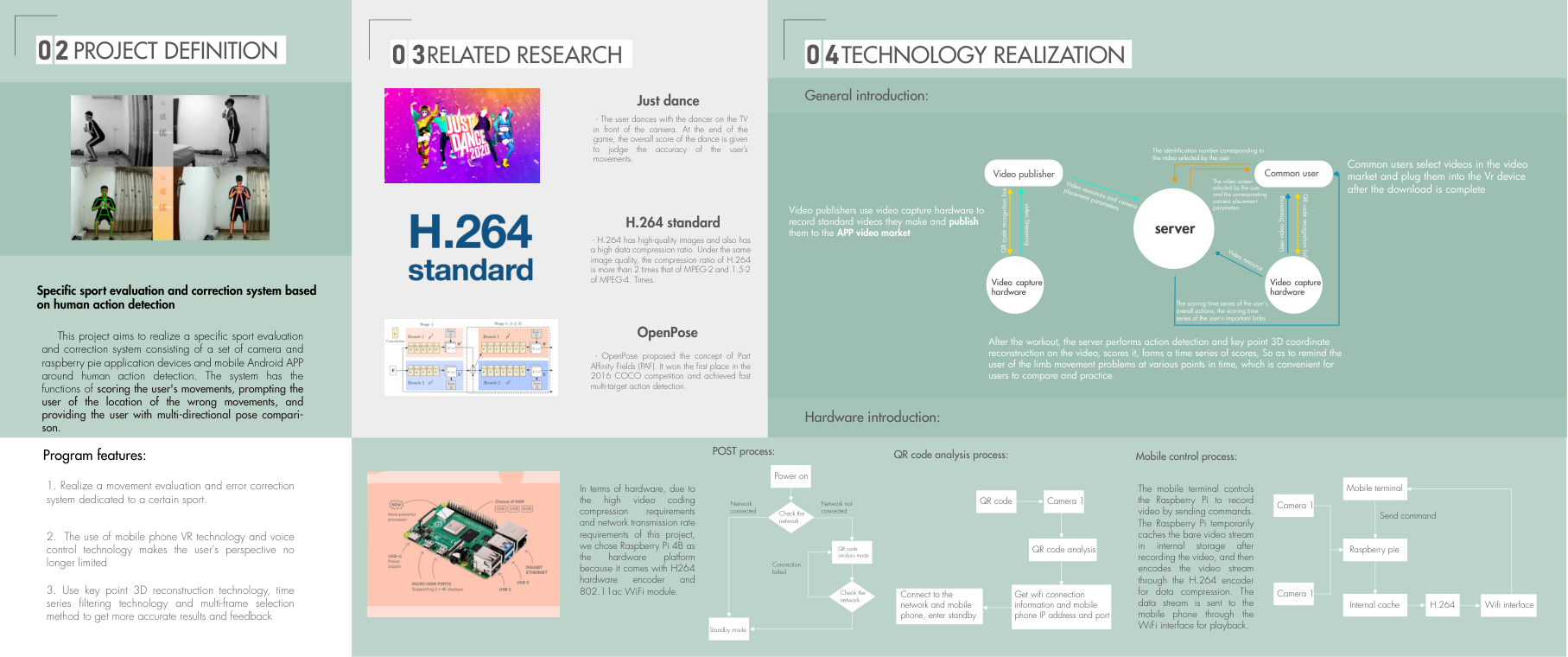
The prototype compares recorded movement with a reference. Its demonstration combines views of the person with skeleton overlays and changing feedback, making differences between movements visible. This working prototype formed the starting point for the later app and hardware design.
Connecting capture, phone and server
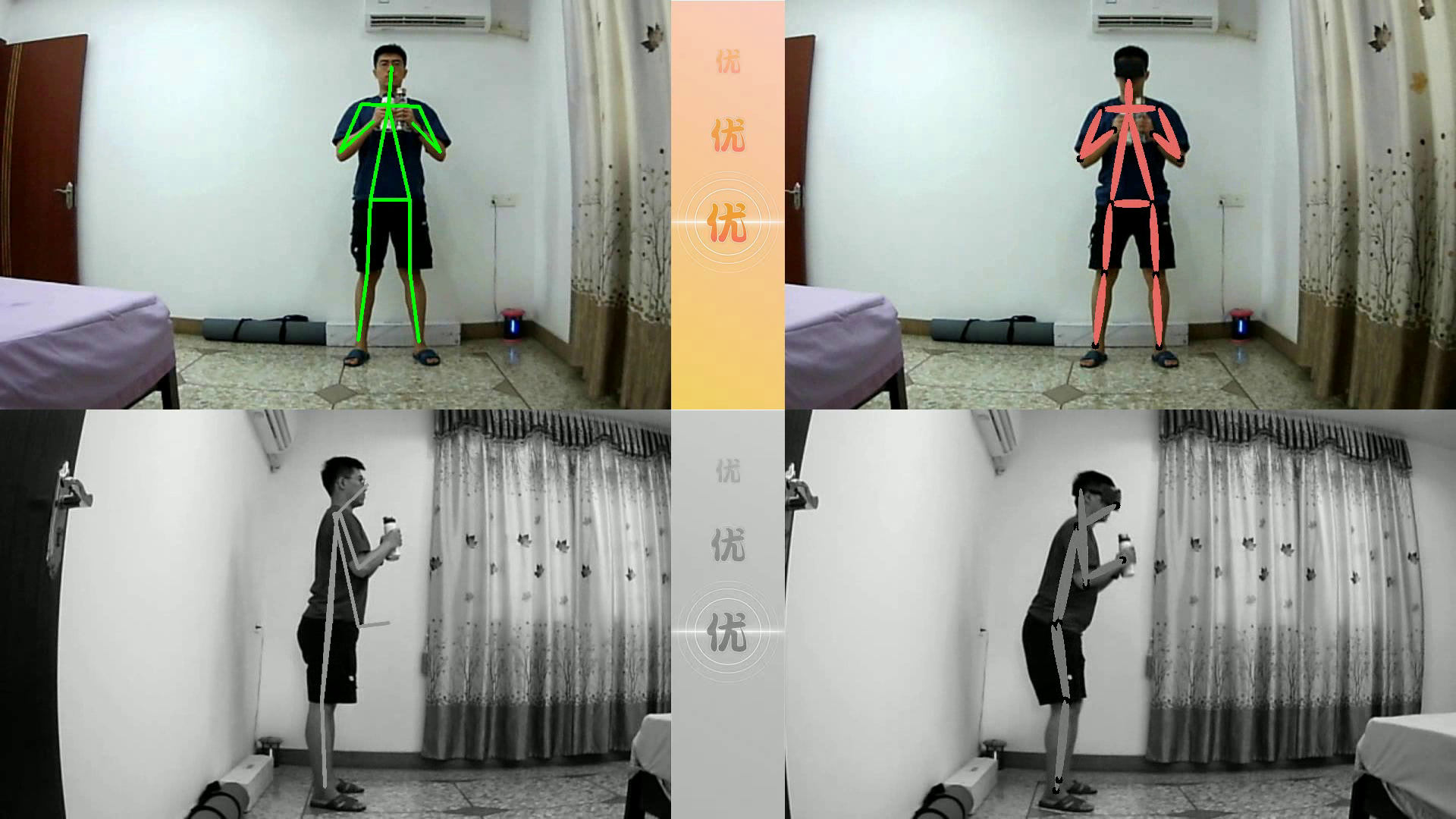
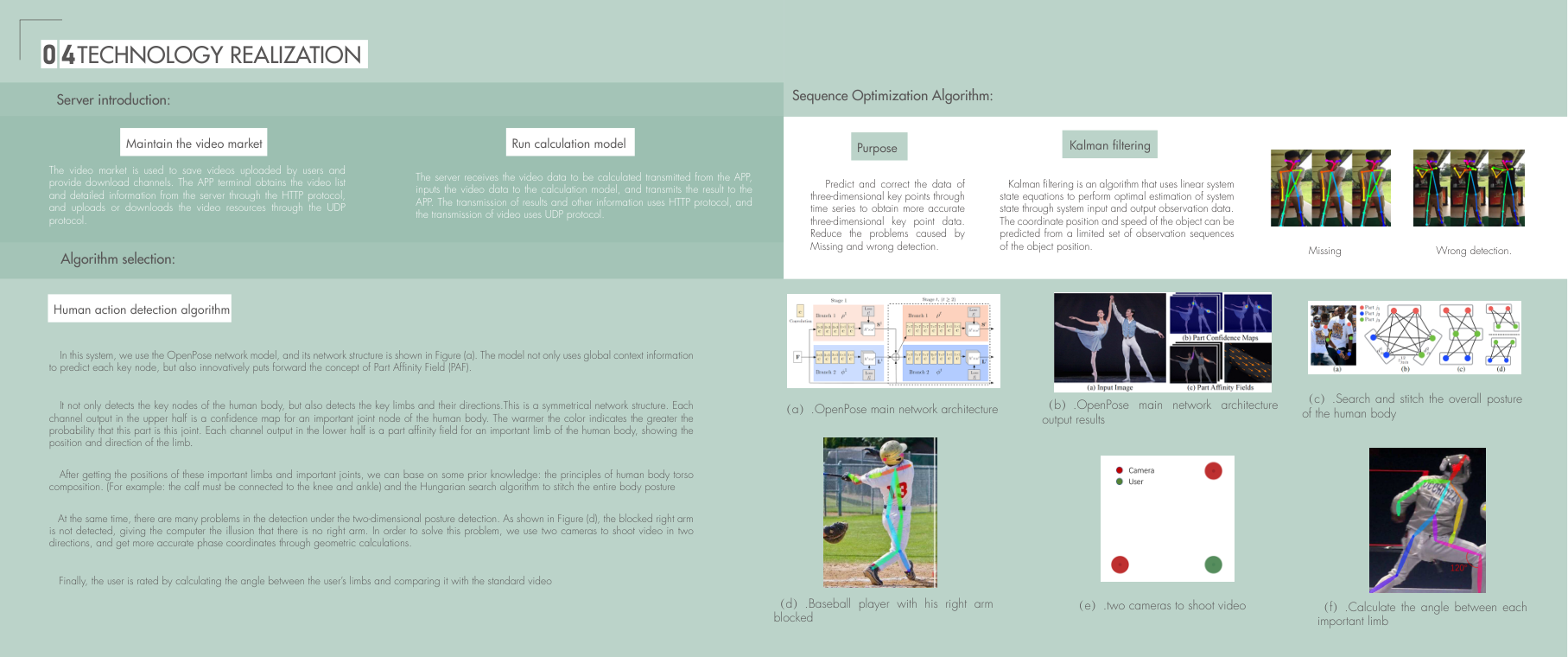
I developed the capture and feedback flow around cameras, Raspberry Pi 4B hardware, an Android interface and server-side processing. The technical design uses QR setup to connect the capture devices, then lets the phone start recording. Video is cached and encoded in H.264 before being transferred over Wi-Fi.
The recording and review stages are separate: the server processes the captured movement after the exercise session and returns the evaluation. This shaped a product experience that includes setup, capture and a later review, rather than simply playing an exercise video.
Comparing body movement across views
The movement-analysis work uses OpenPose to estimate body keypoints and connect them into a skeleton. Two camera directions address the problem of one limb hiding another and support the reconstruction of body positions. Limb angles provide a way to compare a movement with the reference recording.
The technical study also uses Kalman filtering across the sequence to address missing or incorrect keypoints. I considered the continuity of the movement as well as each individual frame, so the comparison could inform the design of feedback.
Developing the VR image-processing approach
The technical work also explored lens-distortion compensation for a phone-based VR view using the Brown model. A precomputed lookup maps the image before display, with a C processing core called from Python. This provided a technical direction for the VR extension alongside the movement-evaluation prototype.
Choosing a session
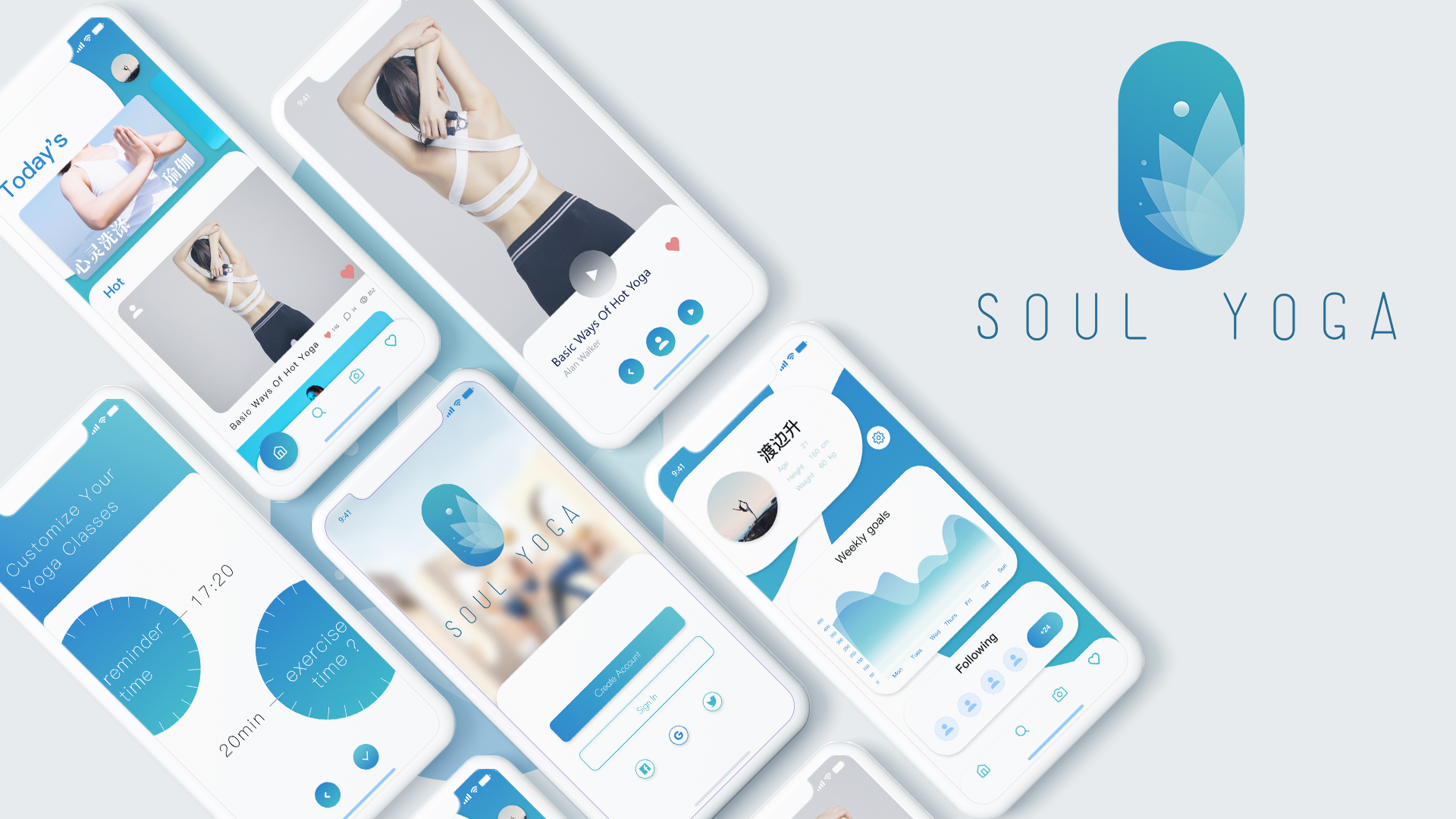
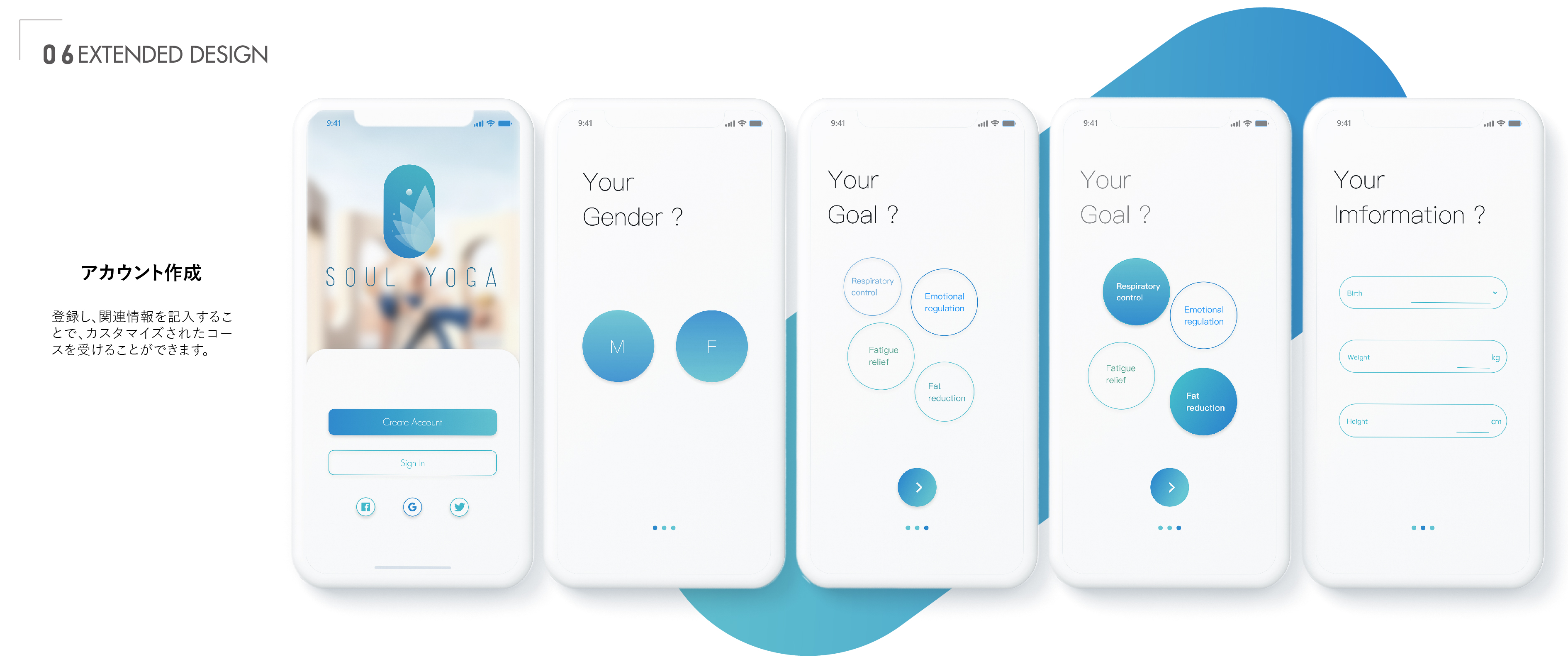
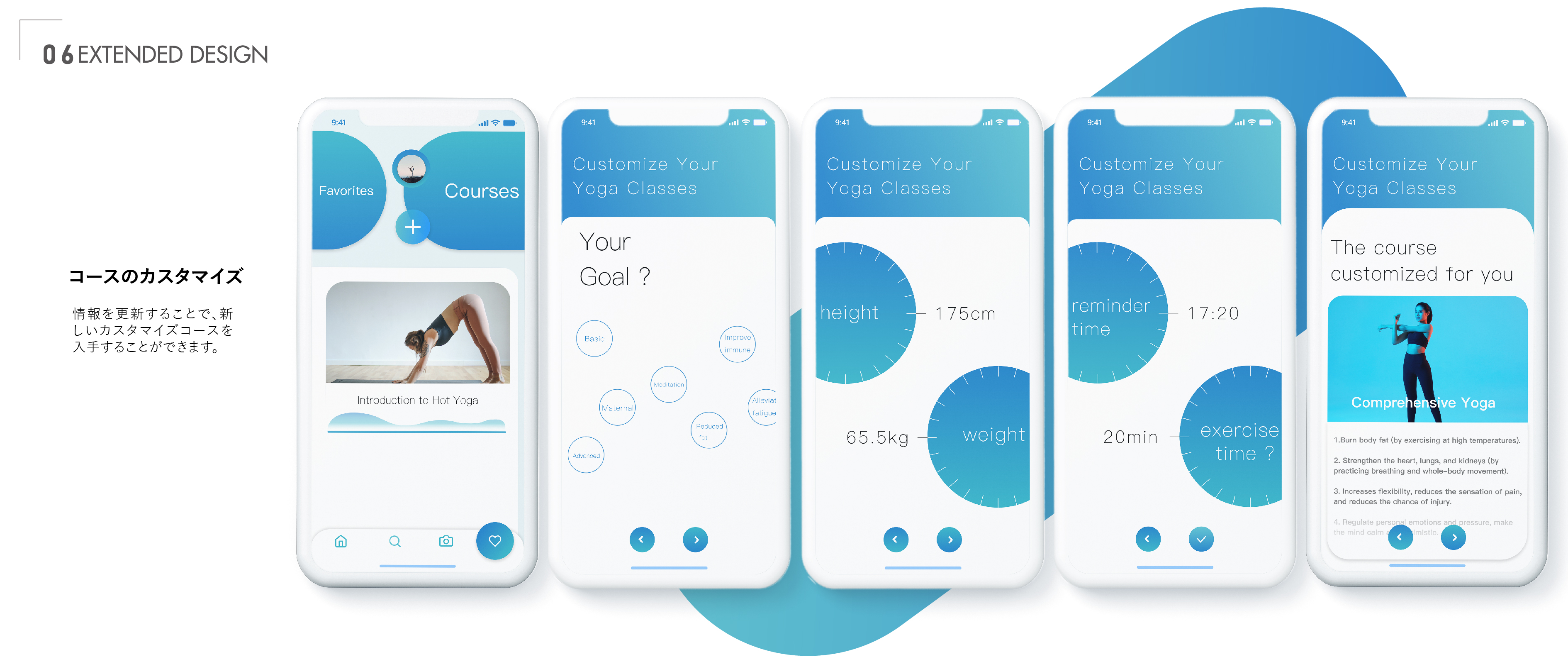
I extended the movement-evaluation prototype into the Soul Yoga app concept. The flow starts with personal information and practice goals, then moves into course discovery and customization. Session length and reminders help shape a suggested class, while recording, progress review and calendar check-ins connect individual sessions over time.
Practising within natural landscapes
I brought the idea of connecting with nature into the VR exercise experience. Snowy mountains and a beach surround the practice, while translucent movement figures remain visible within the landscape. I wanted the visual guidance and the environment to feel like parts of the same experience.


One kit to carry, separate devices to use
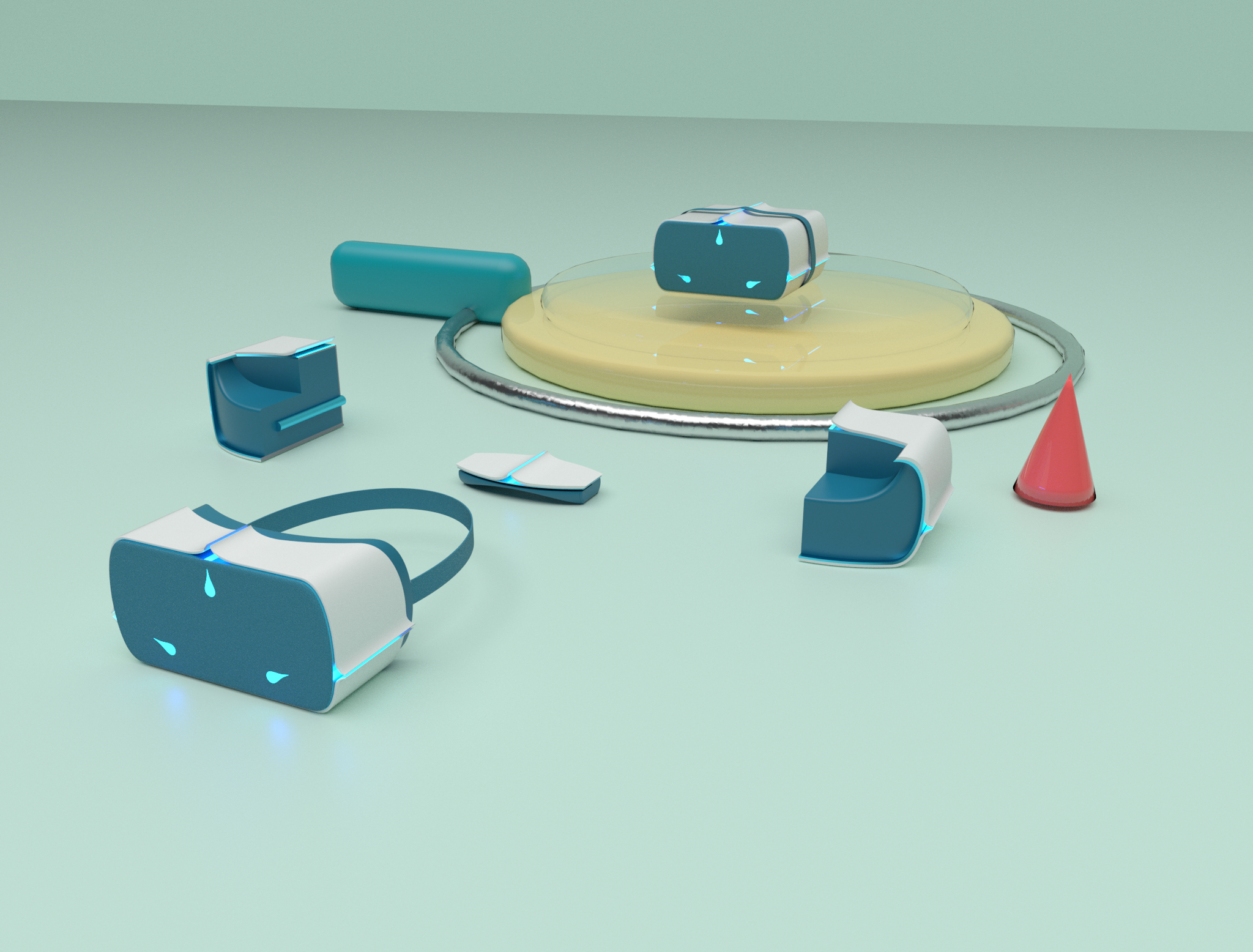
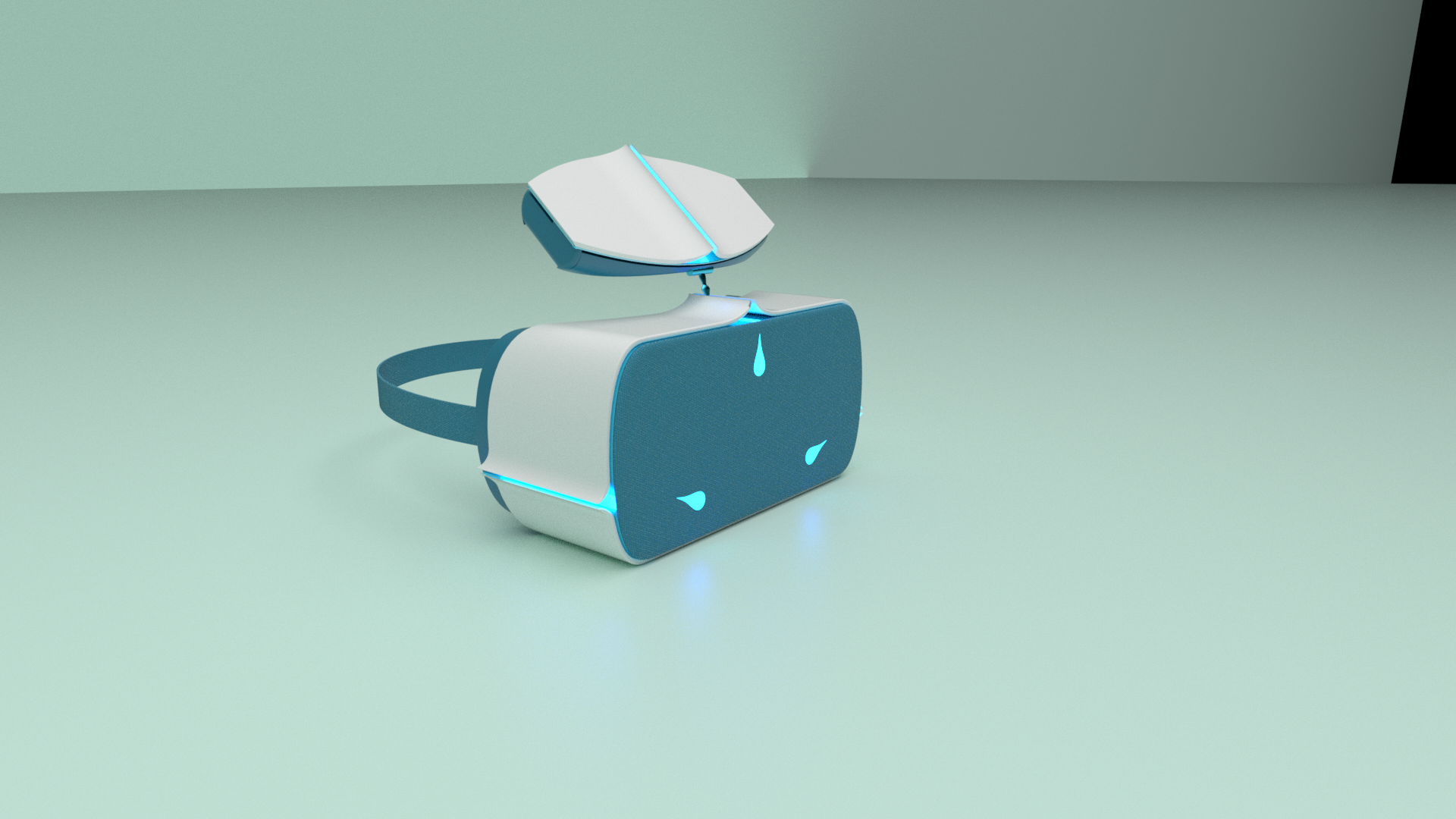
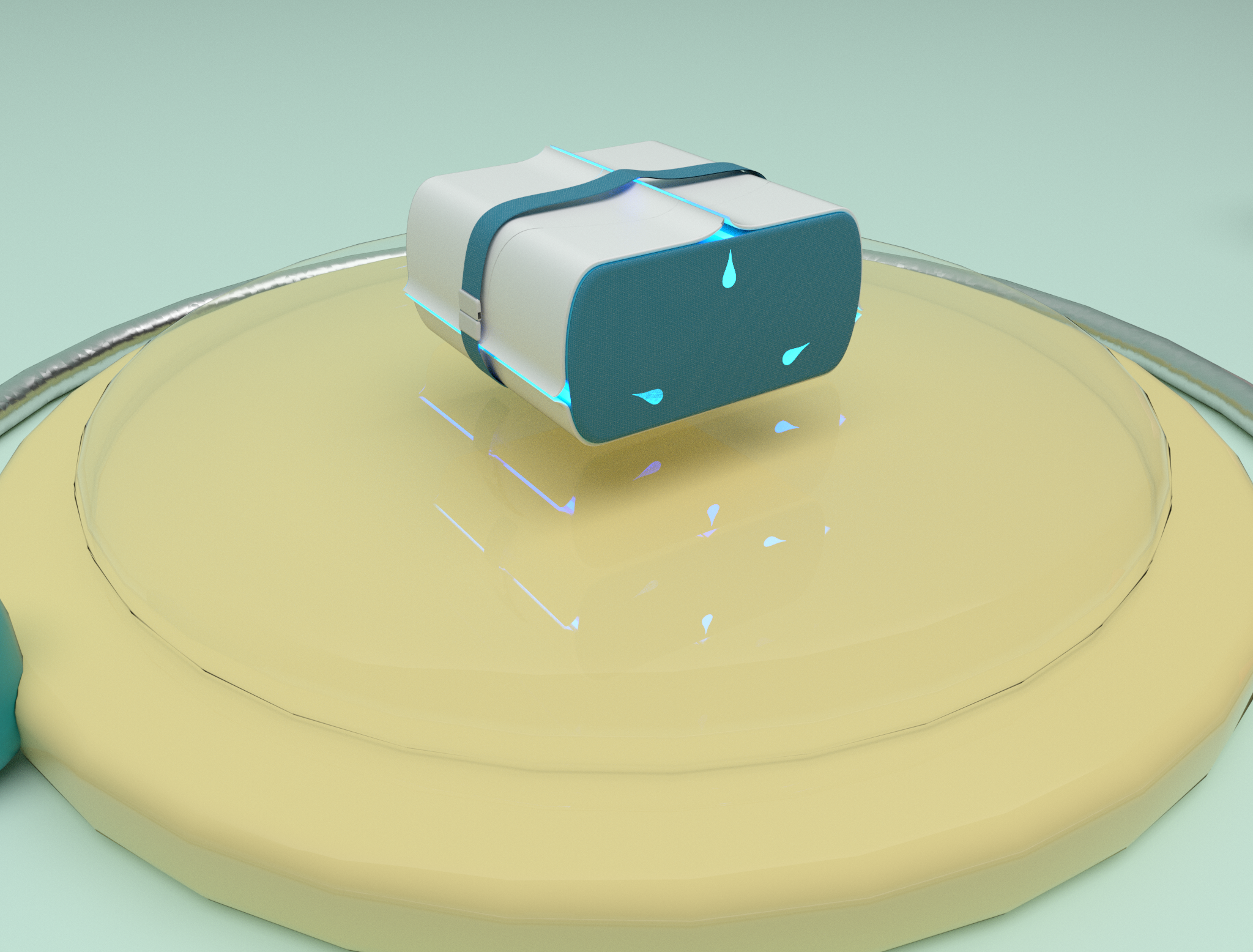
I designed the hardware as a modular kit. Two cameras, the VR glasses and the forehead support combine into one compact unit for carrying and storage. Their forms fit together so the equipment can travel as a single set.
For a session, the kit separates into a wearable headset and two independently placed cameras. The cameras capture movement from two directions, while the phone sits inside the headset for the VR experience. After practice, the components can be brought together again.
A sliding shell for the phone
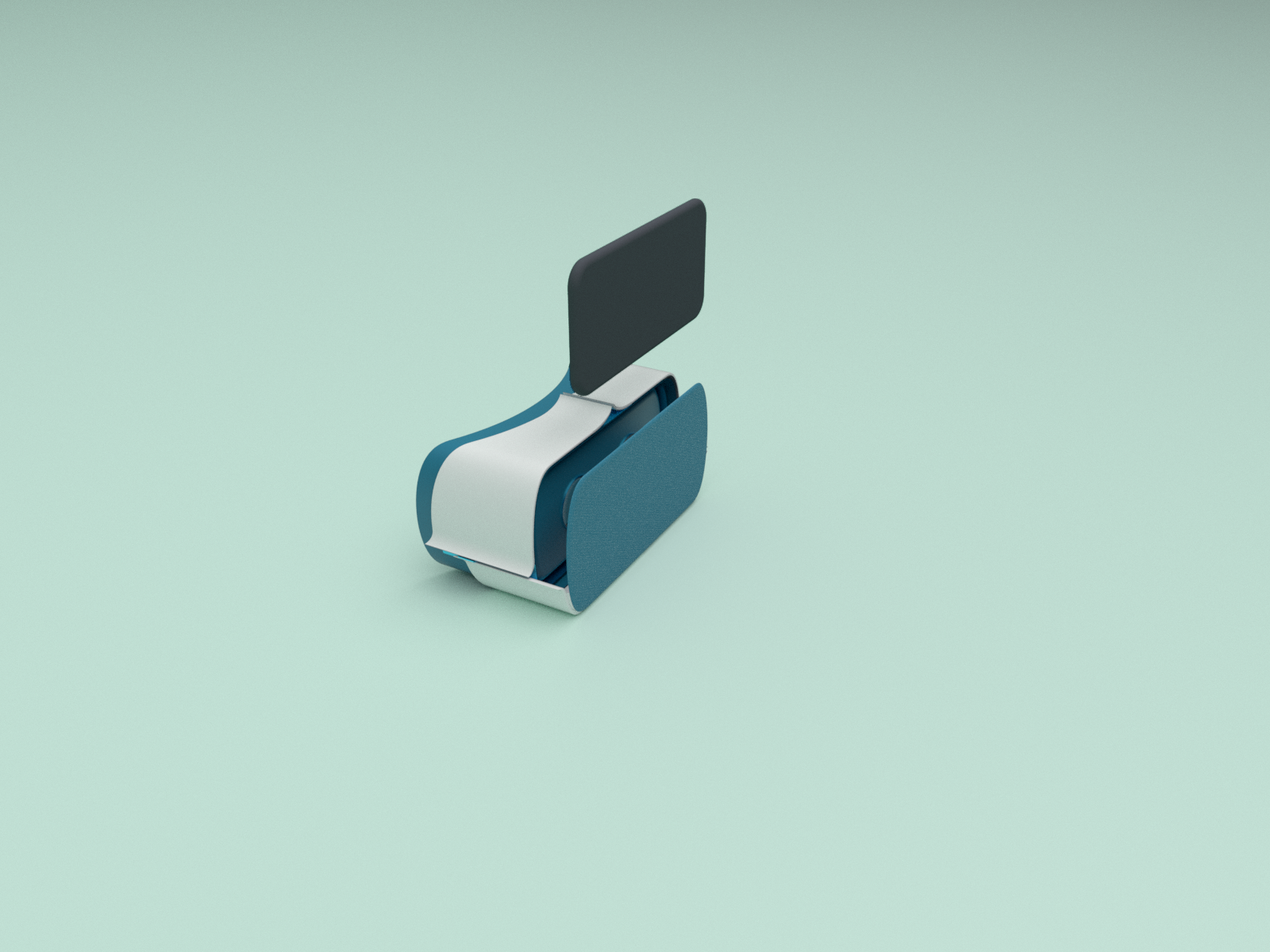
The upper part of the headset shell slides to hold the smartphone. I incorporated the holder into the shell so placing the phone becomes part of preparing the headset for a session.
Positioning the cameras with light
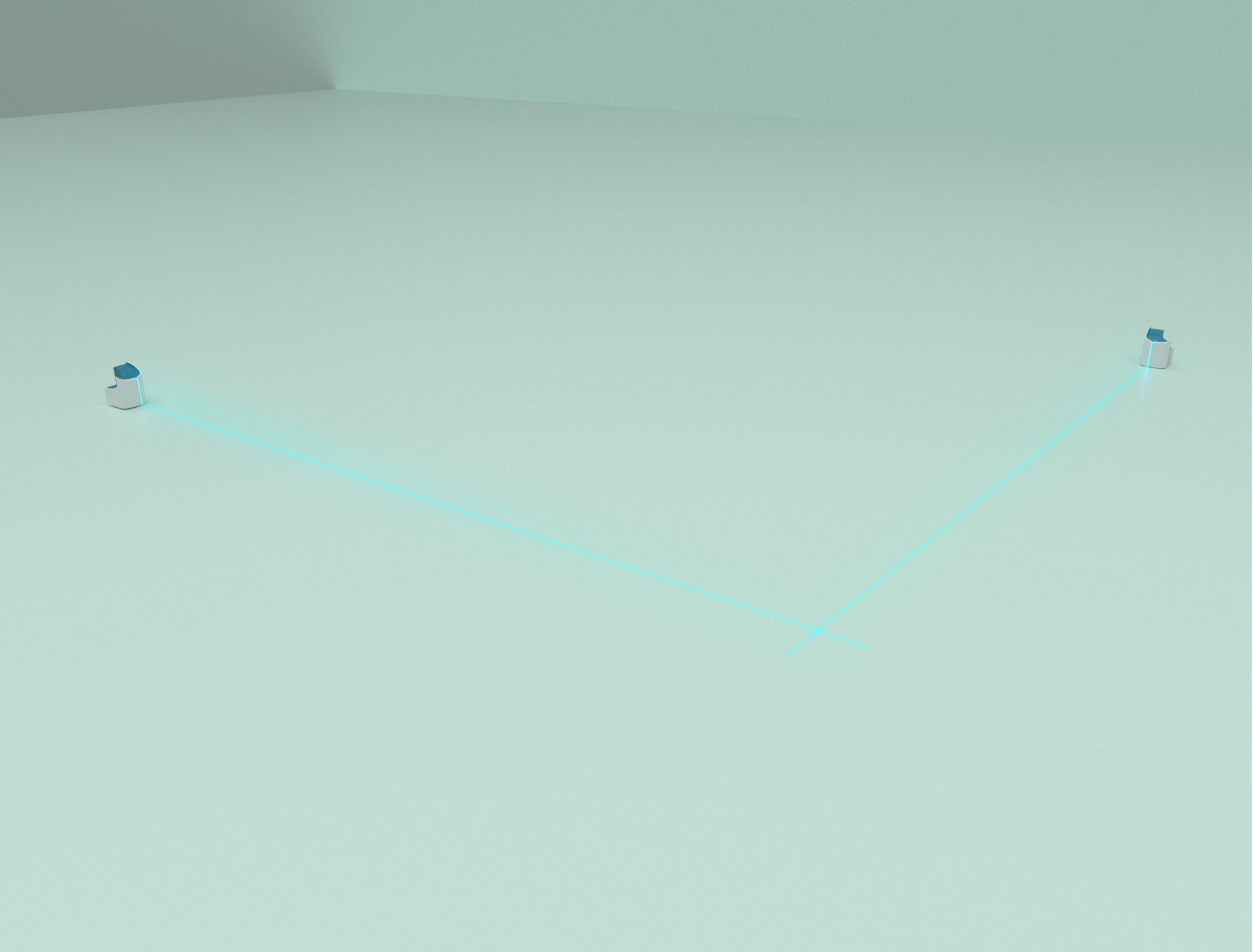
Camera placement affects how movement can be compared. The setup calls for camera distances consistent with those used in the reference recording. I proposed laser projection as a visible guide to help the user arrange the two cameras before exercising.
The camera modules project lines onto the floor. Their intersection provides a visible reference for judging the setup position and camera distance. I used a blue cross with a circular centre as the laser identification mark, making the positioning reference recognizable during setup.